
A client paid but can't see the course
What to check when a client says "I paid but have no access": a different email, an unfinished payment, a jar donation, a course that hasn't started, expired access, and how to fix each.
Short answer
Find the client in the "Clients" section and check the status of their purchase. Most often the client signs in with a different email than the one used at payment, or the payment did not finish. If the money really arrived, grant access by hand with "Add client".
In this guide
Find the client first
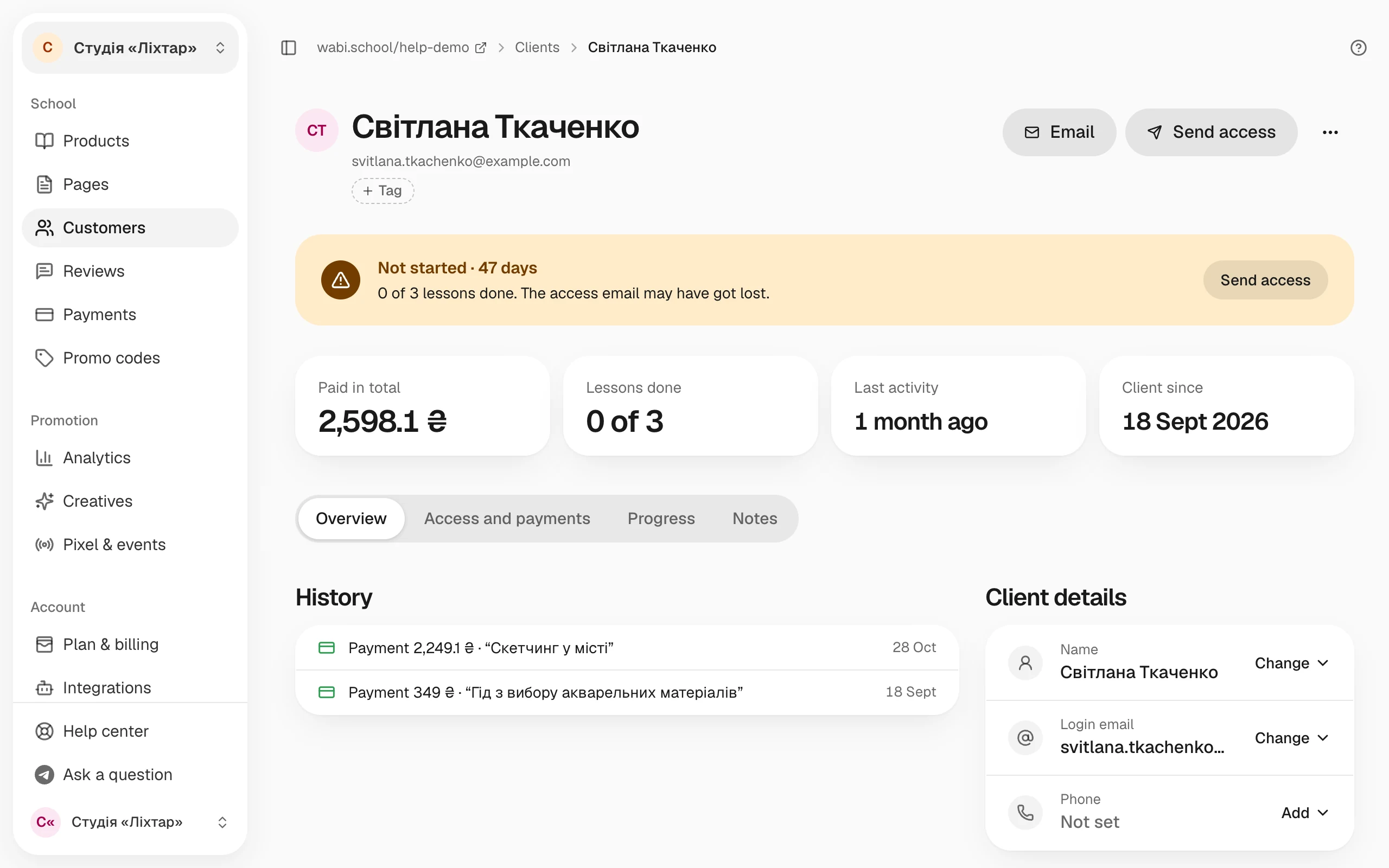
Open Customers and find the client by name or email. The purchase status is on their card. Below is what each case means and what to do.
The client signs in with a different email
Access is tied to the email the client entered at payment. If they sign in with another address, the course will not be there.
Ask which email the client used at payment and have them sign in with it: How to sign in to your course after buying. If the client mistyped the address, fix it: on the client's card, choose Change login email.
Payment not finished or Payment failed
The money did not arrive, so there is no access. Ask the client to try paying again.
If the client says the money was charged, check the payment in your Monobank or WayForPay account. Sometimes the payment system's confirmation arrives late. When the client signs in with the code from their email, Wabi checks the payment again and grants access on its own. If the payment is in your account and there is still no access, grant it by hand.
Jar · unverified
Wabi cannot verify a donation through a Monobank jar, so this client gets no access to lessons. If you see the donation in your jar, grant access by hand with the reason Paid outside Wabi.
The course has not started or the lesson opens later
If the course has a start date, the client sees The course hasn't started yet and the date the lessons open. If a lesson is set to open after a few days, the client sees This lesson is not open yet. This is not an error: the lessons open on their own.
Access has expired
If the client's card shows Access closed next to the product, the access period has ended. To extend it, choose Extend access.
Grant access by hand
If the money arrived and you cannot find the cause, grant access yourself: Add client → choose the product and tariff → the client's email → the reason Paid outside Wabi or Compensation. The client gets an email with a link to the product.
If the client has access but cannot find it, click Send access on the client's card. An email with a link to the product goes to their address.