
Deliver lessons in Telegram
Turn on Telegram for a course, notify clients about new lessons, connect your school's own bot, and learn what you can and can't write in the bot.
Short answer
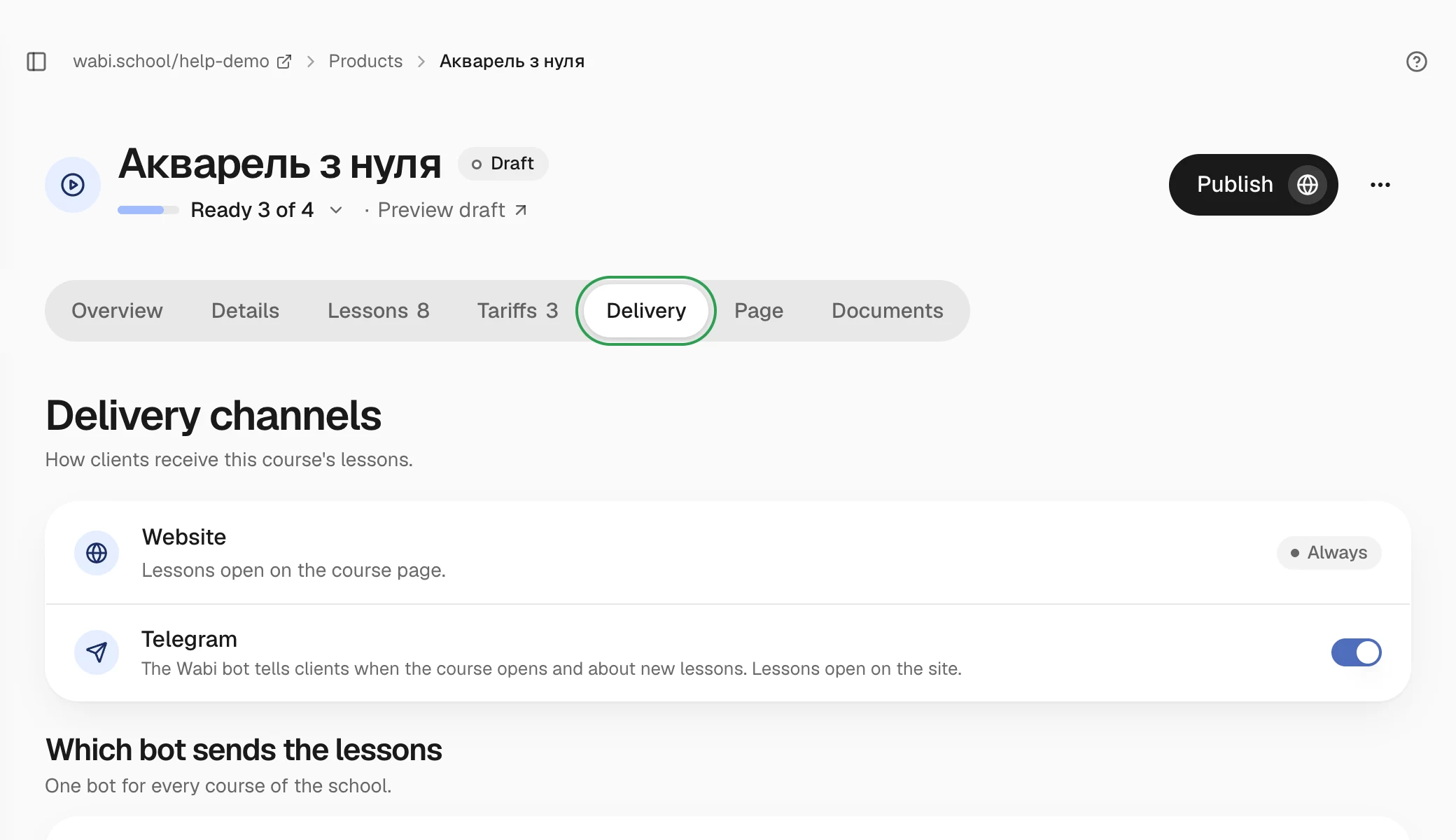
Open the course, go to the "Delivery" section and turn on Telegram. Clients connect the bot from the email after payment or on your school's "Lessons in Telegram" page. You send a new lesson with "Send to clients" on the lesson card. The lessons themselves still open on the website.
In this guide
Telegram is an extra channel for courses. Lessons always stay on the website. The bot notifies clients about them and leads them to the lesson. Telegram is not available for events or digital products.
Turn on Telegram for a course
- Open the course and go to the Delivery section.
- In the Delivery channels block, turn on Telegram.
- Choose where the main button in the after-payment email leads: Telegram or the website.
- Click Send a test to get a message about the first lesson yourself. The course needs at least one lesson for this.
If Telegram shows "Temporarily unavailable", the channel is paused on the platform. Delivery resumes on its own.
How clients connect
After payment, the client gets an email with a button that connects the bot. They can also do it later on your school's Lessons in Telegram page, which is in the account menu on your school's site. If clients bought before you turned on Telegram, send them a link to that page.
As soon as a client connects, the bot sends a message with a button to the first lesson. Video lessons can be watched right in Telegram or on the website. When access ends, the bot says so briefly.
Send a new lesson
- Open the lesson. In the Telegram message field, write the text, or leave the field empty and the bot sends the lesson's title and description.
- Click Save lesson.
- To see how the message will look, click Send to me. It arrives only to you.
- Click Send to clients and confirm. All course clients who connected Telegram get the message.
For lessons that open a few days after purchase, the bot announces them on its own on the day they open.
You can also send files from the "Lesson materials" section to the chat. Turn on In Telegram next to the file and confirm that it has no prices or payment links. A file that was sent can't be recalled.
Your school's own bot
At first, the Wabi bot sends the lessons. You can connect your own bot with your school's name and avatar, one for all your courses. The school owner does this.
- Open Integrations → Lessons in Telegram and, in the row with the Wabi bot, click Connect your own.
- Click Open Telegram. In the chat with the Wabi bot, press "🤖 Створити бота" (Create bot) and set a name.
- Go back to the page. The bot appears on its own. If you created it yourself, click It's my bot — connect.
Clients who already connected the Wabi bot keep getting lessons there until they connect yours. Send them a link to the Lessons in Telegram page.
A disconnected bot can't be connected again. You can only create a new one, and clients will have to connect again.