
Get payment notifications in Telegram
Get every new payment and review in Telegram, add a colleague as a recipient, check that the connection works, and turn the notifications off.
Short answer
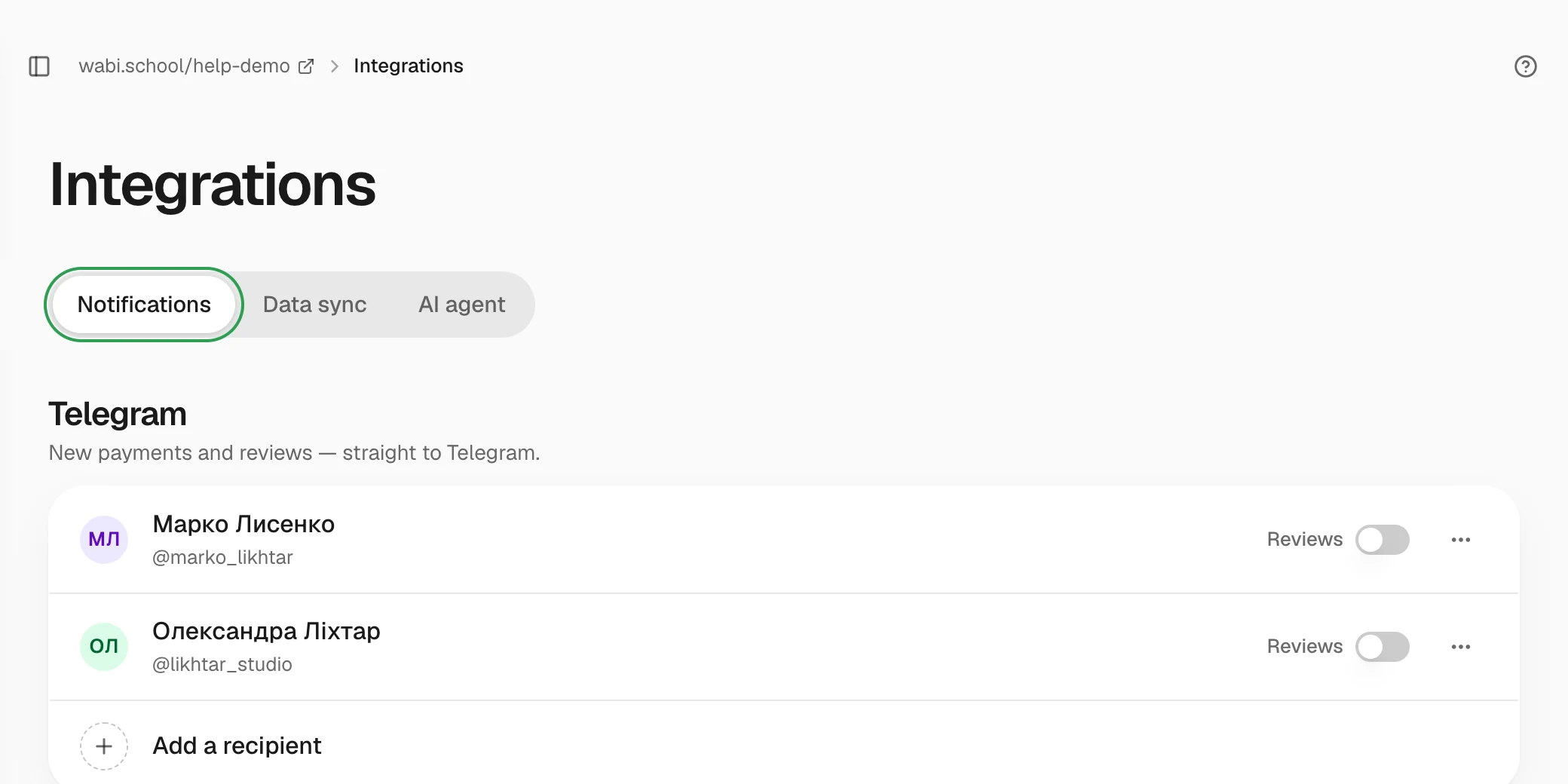
Open "Integrations" → "Notifications", click "Connect", choose "My Telegram" and press "Start" in the Wabi bot. Every confirmed payment then arrives in Telegram within a minute. You can add a colleague with a one-time invite.
In this guide
Connect your Telegram
- Open Integrations → Notifications and click Connect.
- Choose My Telegram and click Open Telegram. On a computer, you can scan the QR code with your phone.
- In the Wabi bot, press "Start". Your account appears in the list on its own. You don't need to refresh the page.
Only the school owner or an agency admin can add and remove recipients. The notifications include clients' names and emails.
What a notification contains
- the amount, product and tariff;
- the buyer's name and email (the phone number is not sent to Telegram);
- where the client came from: source, campaign, creative;
- the promo code and discount, if any;
- whether the client is new or returning, and which payment system processed the payment.
Under the message are buttons that lead to the client's card and to all of their payments.
You get notifications for one-time payments, the first payment of a subscription, and its renewals. You don't get them for refunds, jar donations or access you open by hand. Payments made before you connected are not sent.
The usual delay is up to a minute.
Add a colleague
- Click Add a recipient and choose A colleague.
- Copy the invite with Copy and send it to your colleague in any messenger.
- Your colleague opens the link and presses "Start" in the bot.
The invite works once and expires after 24 hours. Add only people who need the sales data.
Reviews
Each recipient has a Reviews switch. Turn it on to get new course reviews in Telegram too, with the rating, the text and a link.
Check or turn off
- To check the connection, open the "⋯" menu next to the recipient and click Send test. A test message arrives in Telegram.
- You can't turn off payment notifications separately. To stop them, choose Disconnect in the "⋯" menu.
- If a recipient shows Bot blocked, that person has blocked the bot. Disconnect the row and connect Telegram again.