
How to sell a course by subscription
How to make a subscription tariff with monthly or yearly billing, how Wabi charges the next payments, what happens when a payment fails, and how to cancel a subscription.
Short answer
Connect Monobank or WayForPay. Open the course, go to the "Tariffs" section, click "Add tariff", choose the "Subscription" type, set the price and how often to charge — monthly or yearly. The client makes the first payment themselves, Wabi charges the next ones to their card automatically, and access lasts while the subscription is active.
In this guide
A subscription is a tariff with recurring payment: the client pays every month or every year, and access to the course lasts while the subscription is active. It suits clubs, courses that keep growing, and learning without a fixed end.
What you need
- A connected payment system with subscriptions — Monobank or WayForPay: How to connect payments with Monobank or WayForPay.
- A course. Events and digital products have no subscriptions.
Create a subscription tariff
- Open the course and go to the Tariffs section.
- Click Add tariff.
- In the Tariff type field, choose Subscription.
- Enter a name and the price for one period.
- In the Billing field, choose Monthly or Yearly.
- If you like, tick other courses in the Courses in the bundle block — then the subscription opens all of them.
- Click Save tariff.
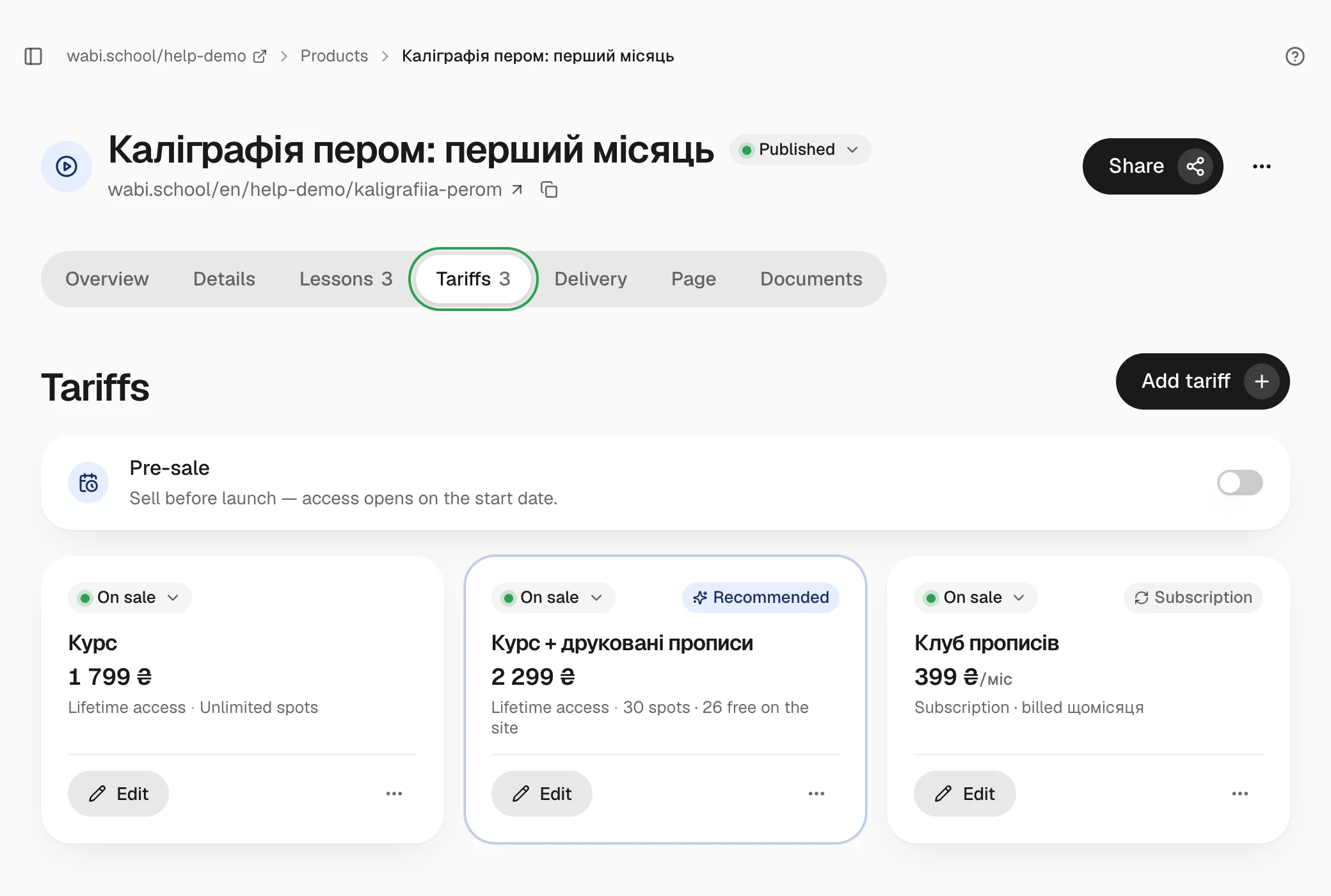
If Wabi won't let you save a subscription, check that Monobank or WayForPay is connected in the payment settings.
How payments are charged
The client makes the first payment themselves, like an ordinary purchase, and their card is saved for the next charges. After that Wabi charges the same amount on the day the paid period ends, and access is extended.
- You can change the tariff price at any time: the new price applies to new subscriptions, while those who already subscribed keep paying the old amount.
- Promo codes don't apply to subscriptions.
- Renewals show in Payments on the Subscriptions tab and in the client card.
If a payment fails
When the card doesn't go through, the client gets an email, and Wabi tries to charge again over three days. Access stays open during those days. The client card shows Subscription payment failed. If the payment still hasn't gone through after three days, the subscription ends and access closes.
How to cancel a subscription
- The client cancels it themselves: on the school's site, in Subscriptions & payments, with the Cancel subscription button.
- You cancel it in the client card: menu → Cancel subscription.
After cancelling, access lasts until the end of the paid period, and there are no new charges. Money for the current period isn't refunded automatically — if needed, make a refund: Payments and refunds.